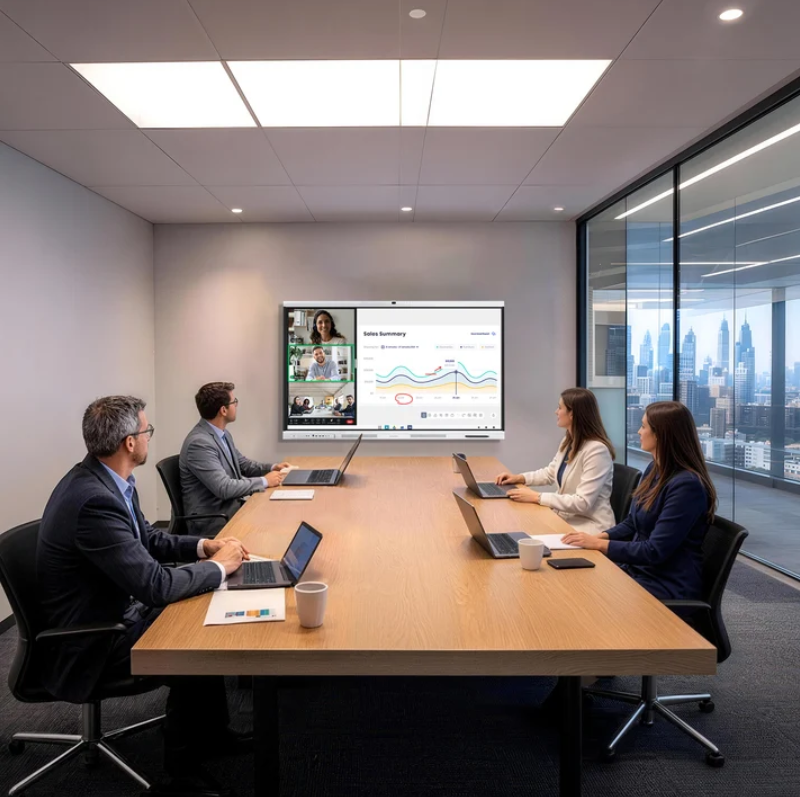
A conference room can have a large display and a reliable network yet still deliver a frustrating meeting experience. Participants may struggle to connect laptops, switch presentation sources, or hear remote colleagues clearly. Before buying a meeting board, teams should map common meeting formats, connection habits, and software needs.
Nework brings more than 20 years of professional audiovisual experience to smart display and collaboration solutions. Its Nework smart board range includes the NewBoard series for meetings and collaborative work. Businesses can compare the NewBoard P series for business with their conferencing and connection requirements, then contact Nework to discuss a setup suited to their workplace.
Start with the Way Teams Meet
Identify how the room is used. A small team may share slides from one laptop, while a larger group may need remote presenters, shared documents, and discussion across locations. These patterns affect display placement, cable access, camera positioning, and how quickly people need to switch between speakers and content.
List the meeting applications employees already use. Teams relying on Microsoft Teams, Zoom, or Google Meet should check how the board supports their workflow. Software compatibility matters because a room that requires repeated troubleshooting can delay every meeting. Confirm the intended setup with the supplier before purchase.
Video Needs More Than a Large Screen
A meeting display should make shared material easy to read. Review typical content such as spreadsheets, product drawings, schedules, and presentation slides. Choose screen size and placement for the room. In larger spaces, check visibility from the back row and whether detailed text remains legible.
Video conferencing depends on the wider system. Cameras, microphones, speakers, network access, and the chosen application all affect the result. Procurement teams should document which devices are already available and which components must be purchased separately. An all-in-one display should not be assumed to replace every peripheral.
When comparing products, request a demonstration using a typical work meeting. Test the transition between a presentation and a video call. Check whether remote participants remain visible while local users discuss shared content. A practical trial can reveal workflow issues that a feature list may not show.
Audio Should Suit the Room
Audio problems can interrupt meetings even when the display works well. Echo, low speaking volume, and uneven sound make remote conversations tiring. Room dimensions, hard surfaces, seating plans, and background noise influence equipment needs. Evaluate the board as part of the acoustic environment, not as a standalone purchase.
Before ordering, confirm whether the room needs external microphones, speakers, or other accessories. A compact huddle room and a long boardroom may need different arrangements. Ask the supplier to clarify what is built into the selected configuration and what must be added. This allows buyers to compare complete setups rather than headline prices.
Screen Sharing and Connections Need a Simple Plan
Connection steps influence how quickly a meeting can begin. Full-function USB-C on the NewBoard P series supports video, audio, data, and power through one cable when used with a compatible laptop. HDMI provides another option for setups using a dedicated cable or a different source device.
Check the laptops employees bring to meetings. Confirm their ports, whether adapters are needed, and how cables will reach the board without crossing walkways. Wireless screen sharing may suit some workflows, but the supplied product information does not confirm its availability for this model. Buyers should verify this feature rather than assume it is included.
Plan for guests as well as employees. External presenters may arrive with different laptops and little time to prepare. Accessible cable routes and a short instruction card can reduce delays. IT teams should also decide who handles updates, account access, and troubleshooting.
Software Access and Ongoing Support Matter
The NewBoard P series for business uses Google-certified EDLA to provide access to Google Play and supports meeting applications such as Teams, Zoom, and Google Meet. Procurement teams should confirm the software workflow their organization needs, including sign-in policies, account permissions, and IT restrictions. Check compatibility against current workplace requirements before deployment.
A maintenance plan helps control ownership costs. Ask who handles software updates, how issues are reported, what warranty and after-sales support are available, and whether remote assistance is offered. Record these details alongside purchase price and installation needs. Support may vary by supplier, region, and contract, so obtain applicable terms in writing.
Nework focuses on smart meeting displays and enterprise collaboration solutions. They offer the Nework smart board range for organizations assessing integrated meeting-room equipment. Their product information describes the board as an all-in-one smart meeting board for professional video conferencing. Buyers should verify configuration, accessories, deployment services, and support coverage for their site.
Choose for the Whole Meeting Workflow
A suitable conference-room board should fit the room, the applications people use, and the way they share content. Video visibility, audio coverage, connection options, software access, and ongoing support all deserve review before procurement. A short trial using a typical meeting agenda can help teams identify gaps before installation.
Build a checklist around real tasks: join a call, connect a laptop, share a document, hear participants clearly, and recover from a connection issue. When these steps work with minimal friction, teams can spend less meeting time managing equipment and more time making decisions.